Showing posts with label 2D Art. Show all posts

Thursday, October 15, 2020

Common Art Week 07: Free Week

 For this project, we were free to create a 3840x2160 image with the only restriction incorporating the techniques learned in class. I was inspired by the spooky season to create a Snow White inspired piece involving the poison apple. I modeled in Maya, then sculpted in Zbrush. I surfaced, lit, and rendered in Maya using Arnold, and then painted in Photoshop.


Reference

Reference


Render from Arnold


Photoshop Process


Final Result


Thursday, October 8, 2020

Perspective

 This week we had to build at least 4 buildings, create a city layout, and create 1-point, 2-point, and 3-point perspective compositions. Then, render one of the compositions and create a piece in Photoshop.

Inspiration


Building Set

Building Set

Buildings in Content Browser

1-Point

2-Point

3-Point

Final Composition


Monday, September 28, 2020

Composition

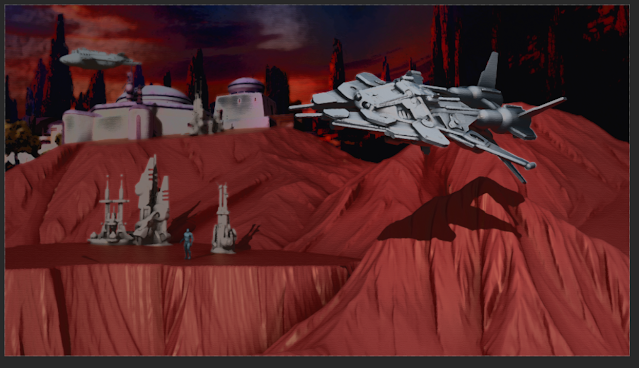
 This week we were given a set of models and tasked with creating a piece using one of the different composition types. After looking at Star Wars concept art for inspiration, I decided I wanted to go with an orange/blue color palette, and have a traditional/retro vibe.


Inspiration

I created a radii composition and placed my models mostly in the foreground and midground and used a photogrammetry capture of a diorama of the Star Wars Galaxy's Edge theme park area by Reverse Imagineering in the background. I color shifted the diorama's texture in Photoshop to match my color palette and applied basic colored materials to my models using aistandard shaders with aiambientOcclusion connected into the base parameter.

Location of Given Models

Radii Composition

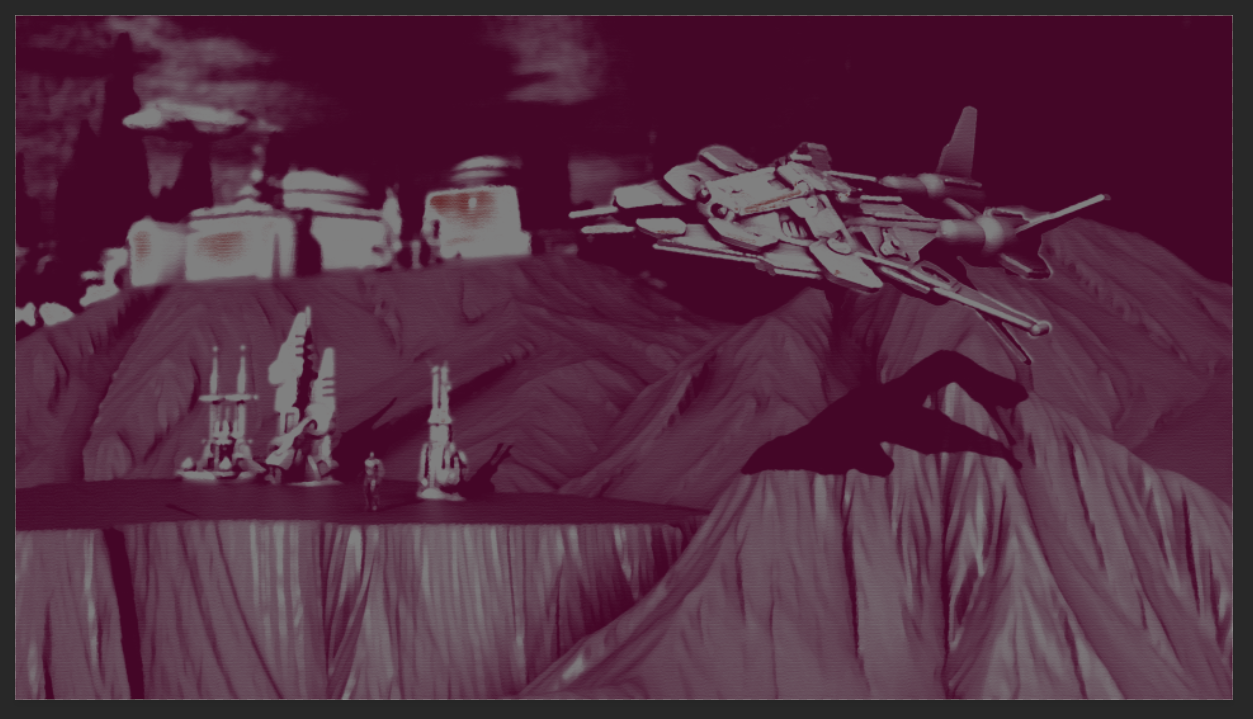
I brought in the beauty and AO render passes into Photoshop and used the ID pass for masking. I created masks to blur the midground and background slightly, and adjusted the brightness and contrast. Then, I merged the layers, and with the foreground and background colors set to different reddish-purple shades went into the Filter Gallery and applied the Paint Daubs, Palette Knife, and Conte Crayon filters. Then, I duplicated the original render on top as a Color blending mode and smudged out artifacts from the photogrammetry. Then I applied black and white gradients for lighting.

Base with Blur

Apply Filters

Color Blending Mode

Add Light

Final


Wednesday, September 2, 2020

Silhouettes

For this week's assignment, we had to take a preexisting spaceship base form and create 9 different variations. After opening the base file, I set up a top-down camera in Maya as I thought that would best showcase the variations.

Base Silhouette we started with.

Then, using basic shapes, transformations, and lattice deformers I modeled different variations of the form.

An example of a variation I made.

I rendered out the silhouettes from the camera I set earlier and arranged them onto one sheet in Photoshop.

Final Silhouette Sheet

Wednesday, August 26, 2020

Shapes Assignment

For Common Art, the first assignment was to pick out a spaceship or building in  a Sparth piece, recreate the general form in Maya using primitive shapes, and then use a screenshot/render of the 3D forms to illustrate on top of.


First, I picked out the Sparth image to reference.

Artwork by Sparth I referenced.

Then, I modeled a base form in Maya. I also added lights to approximate the lighting present in the illustration. I took captures of both the pure model without lighting, as well as the model lit.
Unlit Mesh
Mesh with lighting


Then, I brought the captures into Photoshop and painted on top of them, resulting in this illustration.


Final Illustration


Grave of the Fireflies: Sprint 12

 In this sprint, I helped create a new introductory level that precedes the main experience. I created the sequencer, adding in the introduc...